

Play Logbook
How do you keep a record of every slot play? (2026)
Use EdgeTilt's Play Logbook. Log any play, any time. Just tap + Log Play in the Logbook and enter it. Ran the play in a calculator first? Tap Log play in Logbook and the game fields, Current EV, Average Case and acquisition fee fill in for you. Then add how it went, and see the math next to what happened.
In short Log any play, any time, with + Log Play. Coming from a calculator? Game fields, Current EV, Average Case and acquisition fee fill in for you. Custom game templates for the games you play most. Cash out $2,000 or more and it offers a W-2G scan.
Here's a question that stings. Of the last 20 plays you made, how many were actually +EV when you sat down?
Not "felt good." Not "I won." Were they +EV?
A logbook can tell you. Yours lives in the slots logbook hub.
How do you log a play?
Any play, any time, in three steps:
- Open the Logbook and tap + Log Play.
- Enter the play.
- Add how it went.
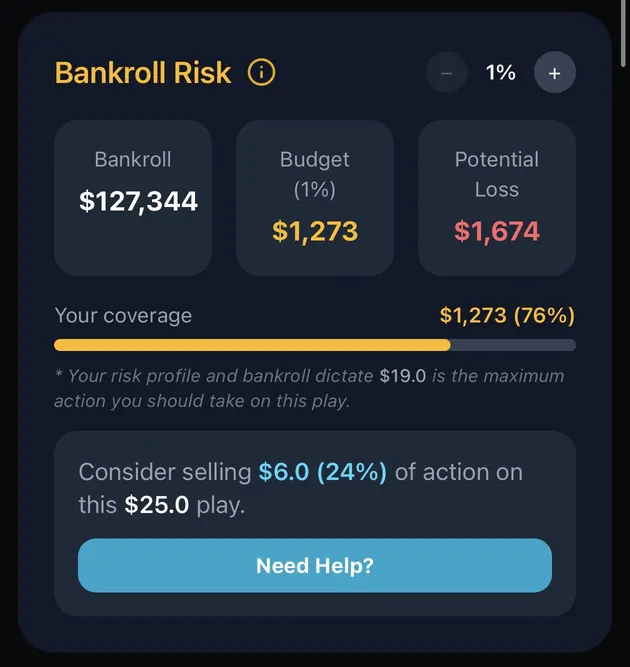
Ran it in a calculator first? Check Bankroll Risk, then tap Log play in Logbook. The game fields, Current EV, Average Case and acquisition fee are already filled in, so you only add how it went. For games you play a lot, Custom game templates save you the setup.
What's in the Logbook?
It has three tabs: LOG, ANALYZE and LEDGER.
Hit a jackpot of $2,000 or more? When a logged cash out is $2,000 or higher, the Logbook offers to Scan the W-2G and fills in the date and box 1 for you.
Why log the acquisition fee?
Paid a scout to find the play? Then that fee is part of what the play cost you. Buffalo Link has an Acquisition Fee Calculator, and that fee rides into the Logbook along with the play. Leave it out, and your results look better than they really were.
How is this different from the Bankroll Manager?
The Bankroll Manager tracks sessions: the trip, the casino, the money in and out. The Play Logbook tracks plays: this machine, this meter, this EV, this result. Different jobs. Use both.
Keep going
- Slots logbook hub: every play you've logged.
- EdgeTilt slot calculators: run the numbers, and the play data fills in when you log it.
- Must Hit By guide: a good first play to log.
- Bankroll Manager: session tracking and the bankroll behind Bankroll Risk.
FAQ
How do I add a play to the Logbook?
Tap + Log Play inside the Logbook, any time. Ran the play in a slot calculator? Tap Log play in Logbook there, and the play data fills in for you.
What fills in automatically?
When you log from a calculator, the game fields, Current EV, Average Case and acquisition fee come over from it. For plays you add with + Log Play, you enter the details yourself.
Can it handle a W-2G?
When a cash out is $2,000 or more, it offers to scan the W-2G and fills in the date and box 1.
Do I need the Bankroll Manager too?
They do different jobs. The Bankroll Manager tracks sessions and your bankroll. The Logbook tracks single plays.
Calculator results are estimates, not guarantees. You must be 21+ to gamble. If gambling stops being fun, call 1-800-GAMBLER.