 EDGETILT
In your account
W-2G Scanner
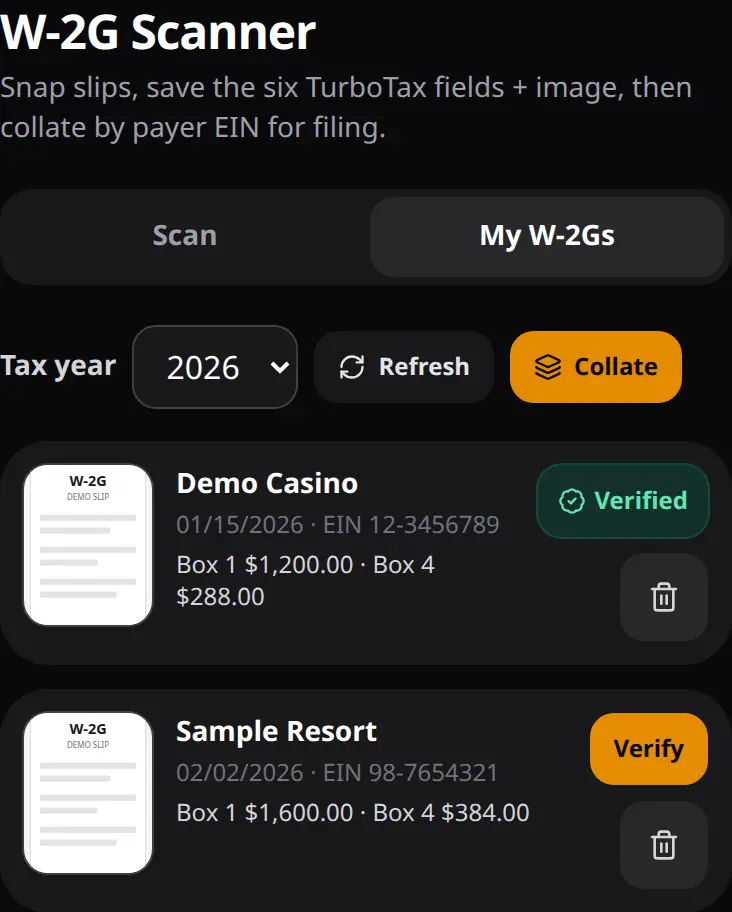
The scanner keeps a private archive of your own W-2G slips. Take a photo or pick one you already have, check the fields, and save. The image and its fields stay in your account, grouped by the payer's EIN. You can delete any slip.
It reads six fields: payer name, payer address, payer EIN, Box 1 reportable winnings, Box 4 federal income tax withheld, and the date.
Scanning and saving one slip at a time is free with an account. Importing a stack of slips in one pass takes Slots Edge or higher.
Log a jackpot cash-out in the play logbook and it can open a scan with the date and Box 1 filled in. You still review it before it saves.
What it is not
It's not tax advice and it doesn't file a return. It doesn't build a CPA packet.
The archive shown above is a demo with a made-up casino. Your real slips, names, amounts, and EINs stay in your account, and this page doesn't import anything.
FAQ
What does a scan save?
The photo plus six fields: payer name, payer address, payer EIN, Box 1, Box 4, and the date. You review them before saving. Slips are grouped by EIN.
What is free?
Scanning and saving one slip at a time is free with an account. Importing a stack in one pass takes Slots Edge or higher.
Does EdgeTilt file my taxes?
No. It stores your slips. It's not a tax preparer.
Can I delete a slip?
Yes. Delete removes it from your archive.
Are sample slips on this page?
Yes. The slip shown is a demo with a made-up payer. Your own archive opens once you create an account.